


TREBEL: Music, MP3 & Podcasts
4.784.57K Reviews
App Specs
- Version
- 7.3.5
- Updated On
- License
- Free
- Downloads
- 50,000,000+
- Developer
- M&M Media, Inc.
- Categories
- Music & Audio
- Platform
- Android, iOS
Screenshots
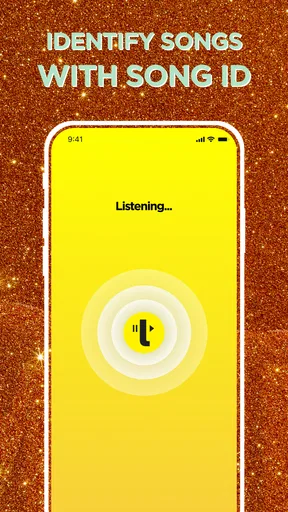
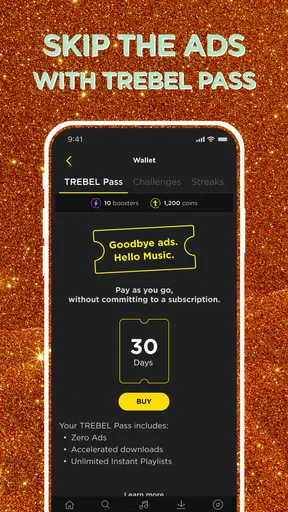
 Analysis by AppCompare
Connectivity is the detail that most changes how a music app fits into my day. A song can feel effortless when I have a steady connection and less convenient when I am moving between networks, trying to keep mobile data in check, or heading somewhere with patchy reception. That is why I judge TREBEL: Music, MP3 & Podcasts not just by what I can play, but by how well it suits different listening situations and how much planning those situations require.
When the connection is doing the work
When I am online, I can use a music and audio app to browse, search, and decide what I want to hear in the moment. That flexibility is useful when a friend mentions an artist or I want to follow a passing interest rather than plan a playlist in advance. TREBEL is free to download, and its focus on music discovery, playlists, and audio makes it appealing when I want one place to explore instead of switching between several apps.
The trade-off is that a connected experience depends on the quality and availability of the connection. On a commute with dead spots, or in a building where reception drops, browsing and playback can become less dependable than at home on a stable network. I would make choices about what to listen to before leaving rather than assume that every new search will be convenient on the move. That small bit of preparation matters more than it might with a service I use only while sitting near reliable Wi-Fi.
A practical fit for a phone-first routine
I can see TREBEL working best for someone who listens in short, ordinary pockets of the day: while getting ready, walking between errands, or taking a break. The app’s mix of music and podcasts gives those moments different options. A playlist can suit a quick walk, while a longer spoken program can make a household task feel less repetitive. For a student or someone with a long public-transit journey, the ability to line up listening in advance is more useful than an impressive-looking library that takes constant attention to navigate.
One practical habit is to decide what I will likely want before I leave, then check that my chosen listening is ready for the situation I expect. I would also keep a short, familiar playlist alongside newer discoveries: if I have little time or the network is unreliable, I can reach for something predictable instead of browsing and burning attention on the screen. This is a simple workflow, but it makes a phone-based listening routine feel calmer and less dependent on perfect reception.
What to do when listening gets interrupted
Unexpected interruptions are part of mobile listening: a train may pass through a poor-signal stretch, a connection may switch, or I may simply realize I have not prepared anything for a trip. In those moments, I value an app that is easy to return to, but I also avoid treating any one service as my only plan. If a particular track or episode matters for a journey, I would confirm my selection ahead of time and keep an alternative activity in mind rather than relying on last-minute browsing.
That approach is especially relevant for podcasts. Spoken audio is less forgiving when I lose my place or miss a section than familiar music I can dip in and out of. If I am listening while doing something that needs focus, I prefer choosing the episode first and keeping the phone interaction to a minimum. TREBEL’s music-and-podcast mix is convenient for changing moods, though listeners who need uninterrupted playback in every setting may prefer a service whose offline workflow they already know and trust.
Worth Reading Before You Choose

EA SPORTS FC Mobile 26 Is a Bigger Football Game, but It Takes Time

Flipboard Shows What News Apps Must Do Beyond the Feed

Switching to Android Auto Means Rethinking Your Driving Routine

Google Calendar Makes a Crowded Week Easier to Manage

Ludo King Makes the Most of the Minutes Between Plans

Baby Panda World Brings Quick Play to Modern Phones, but Its Game Library Feels Busy
Your Music, Your Way
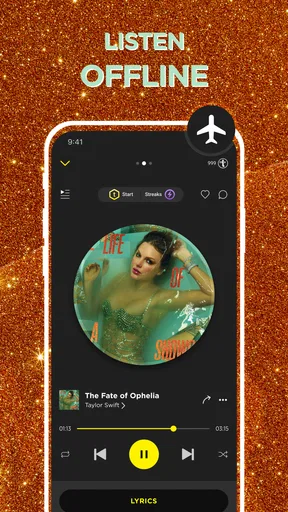
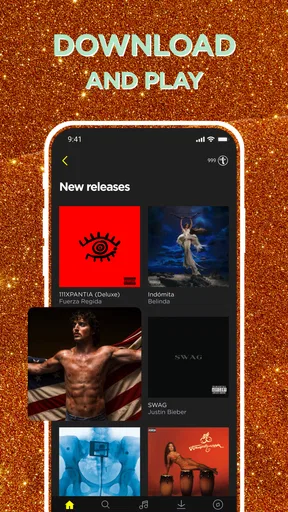
Let's start with what sets TREBEL: Music, MP3 & Podcasts apart—its offline listening feature. In a world where streaming services are a dime a dozen, finding one that lets you download songs and albums for free is like stumbling upon a hidden gem. No data? No problem. I found the downloading process smooth and straightforward. Just tap on the track you want and let TREBEL work its magic. Pretty soon, you’ll have a library full of your favorite tunes ready to go wherever you are, without those pesky data charges.
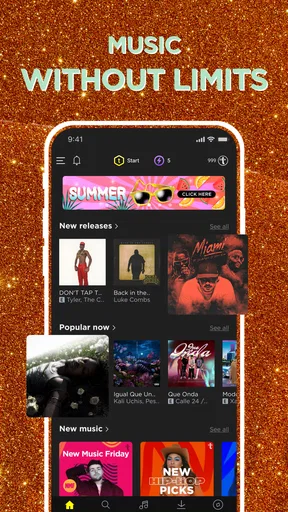
Now, you might be wondering about the catalog. Does TREBEL have the goods? The short answer is yes. The app offers a wide range of genres, from pop to classical, hip-hop to rock. I was pleasantly surprised by the variety and the inclusion of both chart-toppers and hidden indie gems. For someone who loves discovering new music, having this range at my fingertips was a delight.
Podcasts Galore
It’s not just about the music, though. TREBEL also includes a decent selection of podcasts. Whether you're a true crime fanatic or a history buff, there’s something here for you. I spent a few hours exploring the podcast section and was impressed by the diversity. It’s not just the big names you’ll find, but also some niche podcasts that are well worth a listen. The interface makes it easy to browse and find something that piques your interest.
Smooth Experience
One of my biggest pet peeves with music apps is clunky navigation, but TREBEL is refreshingly user-friendly. The app's interface is intuitive, with a clean design that doesn’t overwhelm. Navigating between music and podcasts is a breeze. Plus, TREBEL has a search function that actually works well, which is more than I can say for some other apps out there.
I also appreciate the way TREBEL handles ads. Yes, there are ads—after all, the app is free—but they’re not intrusive. They pop up between songs, but it’s a small price to pay for free downloads. If you’re patient, you can enjoy a premium experience without spending a dime.
More Than Just a Music Player
Another standout feature is the social aspect of TREBEL. You can create and share playlists, and see what your friends are listening to. It’s a nice touch that adds a community feel to the app. Plus, there’s a rewards system that lets you earn coins for downloads by engaging with the app, like watching short ads or completing surveys. It’s a clever way to keep users engaged and coming back for more.
Making room for a data-conscious routine
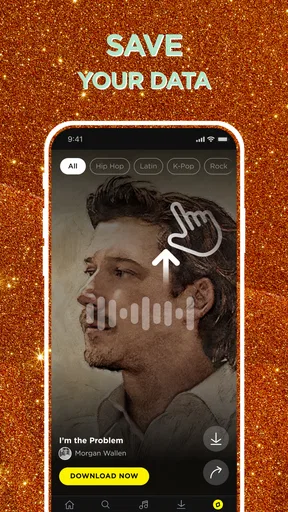
If mobile data is limited, I would treat browsing and listening as separate parts of the routine. I can explore when I have a stable connection, then avoid unnecessary searching when I am out. The useful question is not simply whether an app can save data, but whether I can shape my habits around the moments when I have reliable access. That distinction helps me avoid spending a commute scrolling through choices instead of enjoying what I came for.
For a household with shared Wi-Fi, it can also help to think ahead about when the phone is likely to be used away from home. A person who listens on a daily walk may benefit from preparing a few different moods rather than one long queue: upbeat music for the way out, something familiar for the return, and perhaps a podcast for a slower afternoon. The point is not to build a huge library; it is to make the content I care about easy to reach without repeatedly opening the app to reconsider.
There is a real trade-off between convenience and choice. Browsing live keeps discovery spontaneous, but it makes the experience more sensitive to connectivity. Preparing selections reduces that dependence, but asks me to spend a little time planning and may mean I miss a new recommendation in the moment. I would use TREBEL for a flexible mix of listening, while keeping expectations realistic about how much freedom I want when I am offline or on a weak connection.
Who will get the most from it
TREBEL is an appealing option for listeners who want a no-cost place to explore music and podcasts, do not mind advertising, and are comfortable making a little plan before heading out. The app is made by M&M Media, Inc. and sits in the music-and-audio category. Its 4.8 average from around 1.6 million ratings, along with over 50 million installs, suggests that it has found a broad audience, though those figures cannot tell me whether its catalog matches an individual listener’s taste.
I would be more cautious if I needed a highly controlled listening setup, depended on uninterrupted playback in places with poor reception, or wanted a paid subscription’s familiar ad-free routine. In that case, a conventional subscription-based streaming service may suit me better, especially if I already rely on its established playlists and listening habits. Someone who only wants music files they personally manage may also prefer a dedicated local audio player rather than an app built around discovery and a wider audio experience.
The app is free, with optional in-app purchases ranging from $0.49 to $49.99 per item, and it is rated Teen. Those details matter for families deciding whether it fits a younger listener and for anyone who wants to know how the free experience is supported. I would make that decision based on the listener’s comfort with ads, app engagement, and purchases, rather than assuming that free to install means every part of the experience is identical for everyone.
Small choices that make listening easier
A useful way to try TREBEL is to start with a specific routine rather than judge it after a quick browse. I might use it for the walk to work for several days, noting whether I naturally reach for music, podcasts, or discovery. That reveals whether its mix fits my habits better than an app focused mainly on streaming or one focused only on files stored on the phone. It also gives me a fair sense of how often I need to be connected to find what I want.
I would avoid building a listening plan entirely around recommendations. Search and browsing are handy when I am curious, but a few dependable choices make the app more useful when I am busy. Another small tip is to keep podcast listening for tasks where I can pay attention; if I am moving through a noisy or interruption-heavy environment, music may be the easier choice. These are not special tricks so much as ways of matching the app’s different kinds of audio to the moment.
Version 7.1.6 requires Android 7.0 or later, so I would check that an older phone meets the minimum before relying on it for a trip or daily routine. I would also give myself time to get comfortable with the interface and the ad-supported rhythm before deciding whether it belongs alongside my usual player. A free app can still carry a cost in attention, and that is worth weighing just as much as the price.
The Verdict
So, is TREBEL worth your time? I’d say absolutely. It’s rare to find an app that offers such a comprehensive music and podcast experience without dipping into your wallet. While it may not replace your paid streaming service, it’s an excellent supplement, especially for offline listening. The combination of music, podcasts, and social features makes it a well-rounded app that stands out in a crowded market.
If you haven’t tried it yet, give TREBEL a spin. It might just become your go-to app for music and podcasts. If nothing else, it’s a fantastic option for those times when you want to save on data or just try something new. Happy listening!
Pros
- Offline listening without ads.
- Wide range of music genres.
- Easy playlist creation.
- User-friendly interface.
- Free access to popular tracks.
Cons
- Limited song skips per hour.
- Not all songs available offline.
- Some ads in online mode.
- Occasional app crashes.
- Requires account sign-up.
FAQs for TREBEL: Music, MP3 & Podcasts
What is TREBEL: Music, MP3 & Podcasts?
TREBEL is a music streaming app that allows users to download and listen to music and podcasts offline without needing a subscription. It offers a vast library of songs and podcasts, making it ideal for users who want free access to music without an internet connection.
Is TREBEL really free to use?
Yes, TREBEL is free to use. The app is supported by ads, which means users can download and listen to music offline without paying a subscription fee. Users may experience occasional ads, but this allows them to enjoy free music downloads.
Can I use TREBEL offline?
Absolutely! One of TREBEL’s key features is the ability to download music and podcasts for offline listening. This makes it perfect for users who want to save on data or listen to their favorite tracks without an internet connection.
Is TREBEL available on both Android and iOS?
Yes, TREBEL is available for both Android and iOS devices. Users can download the app from the Google Play Store or the Apple App Store, ensuring compatibility with a wide range of smartphones and tablets.
What quality of music does TREBEL offer?
TREBEL provides a good listening experience with decent sound quality for its music tracks. While it may not offer high-fidelity audio like some paid services, it balances quality and accessibility, making it suitable for most casual listeners.


